
Skip to content
Touch Upgrade. Made Effortless.
Instantly transform standard displays into responsive touchscreens.
Plug and play to unlock next-level interactive experiences.
Universal Compatibility. Seamless Integration.
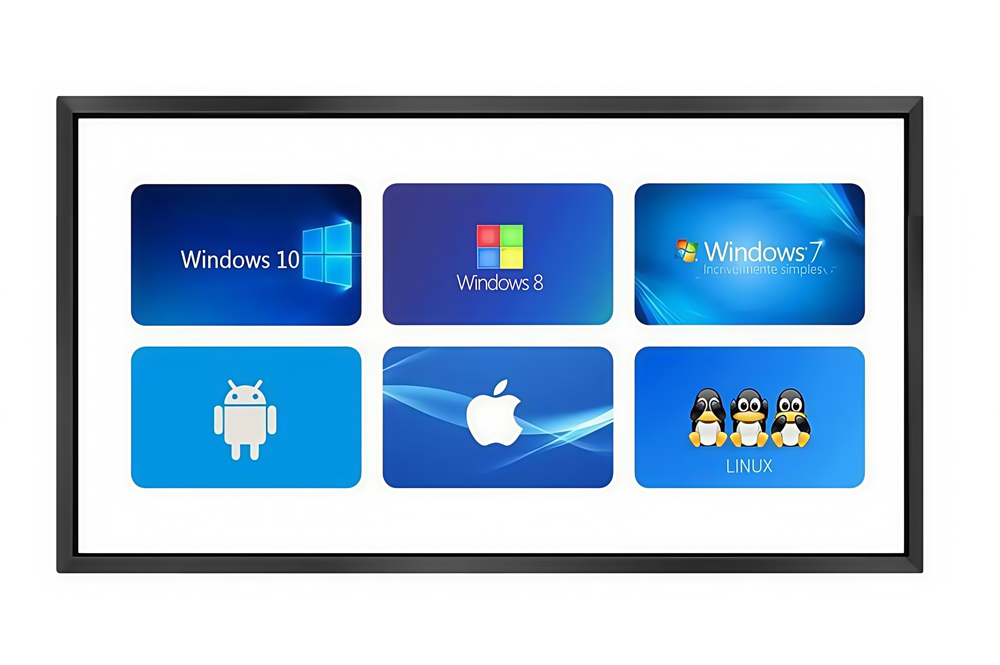
Full native support across Windows, Android, Linux, and iOS.
Driver-free performance tailored for cross-platform workflows.
40-Point Touch. Co-Create in Real Time.
Enable fluid, multi-user writing with zero lag or latency.
One Frame. Endless Applications.
Engineered to empower high-performance commercial displays.
Ideal for smart education, industrial automation, retail, and kiosks.
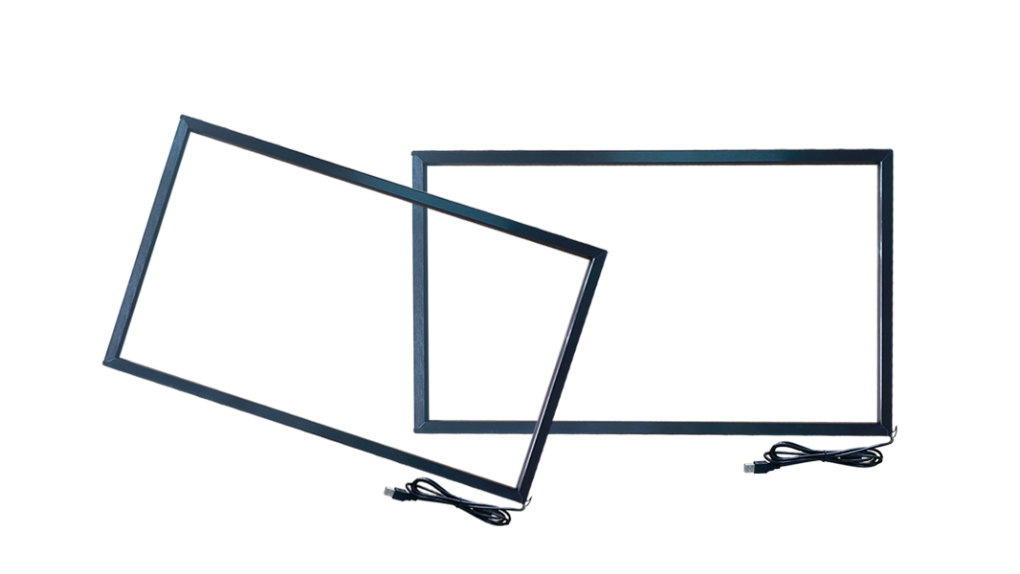
ir touch frame s2

IR touch frame(23"-100”)

  • Standard size: 23 ", 24", 27 ", 32", 37 ", 39", 40 ", 42", 43 ", 46", 47 ", 48", 49 ", 50", 55 ", 58", 60 ", 65", 69.5 ", 70", 75 ", 80", 82 ", 85", 86 ", 98", 100 ". Other sizes can be customized
  • Touch points: 40
  • Material: Outer frame - aluminum alloy
  • Glass: default without glass (glass can be selected)
  • Touch interface: USB, plug-and-play
  • Product certifications: CE, FCC, RoHS
  • Operating systems applicable: Windows, Android, Linux, Mac

Description of IR Touch Frame

ir touch frame for 23 to 100 inch


XinTouch IR Touch Frame Overview

XinTouch's IR touch frame series delivers highly reliable and cost-effective interactive solutions tailored for large-size displays. With an expansive size range from 23" to 300", it seamlessly integrates into diverse professional environments:

  • Education & Training – Smart classrooms and interactive whiteboards.

  • Commercial Displays – Retail kiosks, digital signage, and building advertising.

  • Public Services – Wayfinding, self-service inquiry, and e-government.

  • Industrial & Medical – Control rooms, automation, and medical collaboration.

m4


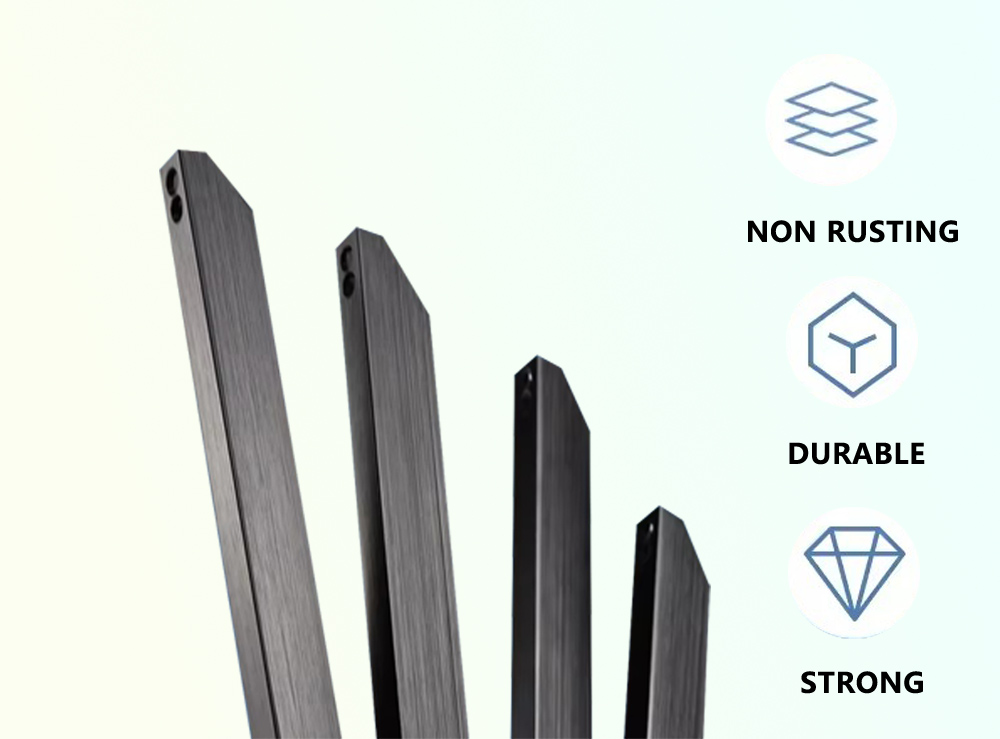
Aerospace-Grade Aluminum Craftsmanship

Premium Material & Ultra-Slim Design. Crafted from high-density aluminum alloy with an ultra-narrow bezel, offering a seamless blend of structural integrity and modern aesthetics.


Refined Anodized Finish. The black brushed surface undergoes a meticulous anodization process, providing a sophisticated texture that is fingerprint-resistant, scratch-proof, and immune to oxidation.

Frame Details of Infrared Touch Screen


High-Performance Core Architecture

Instant Response & Precision. Equipped with next-generation smart chips that deliver millisecond-level response times and pixel-perfect touch accuracy under any lighting condition.


Engineered for Longevity. Featuring ultra-durable LED emitters with a 60,000-hour lifespan, ensuring consistent performance and minimizing long-term maintenance costs.


Seamless Integration. Standard USB HID support provides a true plug-and-play experience—no drivers required for instant compatibility across all major platforms.

56152972


Universal OS Compatibility

Effortless Cross-Platform Support. Designed for a truly versatile ecosystem, our touch frames offer native support for Windows (XP to 11), Android, Linux, and macOS.


Plug-and-Play Simplicity. No driver installation is required for standard HID devices, ensuring your hardware is operational within seconds of connection.

Calibrate infrared touch screen


Precision Calibration & Display Mapping

 Pixel-Perfect Alignment. Our intuitive configuration software ensures the touch layer aligns perfectly with your display, regardless of aspect ratio, orientation, or size. It offers ultimate flexibility: it can be calibrated to fit smaller screens with flawless edge-to-edge accuracy, or mapped to larger setups (like LED video walls) to enable highly precise localized touch control.


Adaptive Orientation. Whether deployed in landscape, portrait, or custom multi-screen orientations, the intelligent calibration tool eliminates drift and maintains zero-offset accuracy for a natural writing and navigation experience.

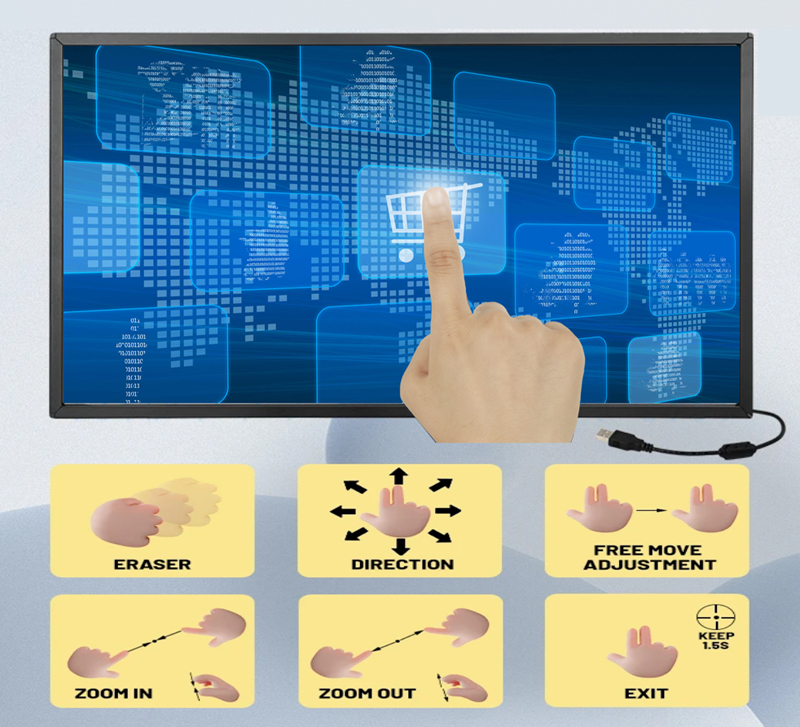
ir touch Multi-touch


Advanced Multi-Touch Technology

Fluid Collaborative Interaction. Supporting up to 20/40 simultaneous touch points, our technology allows multiple users to engage, write, and gesture at the same time without interference.

  • Support 40-point touch 
  • Support gesture operation 
  • Support for zooming in and out 
  • Support rotation 
  • Operating systems supporting multi-touch: Windows 7/8/10/11, Android, Linux 
  • Operating systems supporting single-touch operation: Windows XP, IOS
Application Scenarios of Infrared Touch Screen


Versatile Solutions for Every Sector

Empowering Interaction.

XINTOUCH infrared technology is the backbone of high-traffic interactive environments worldwide. From the precision required in medical and financial kiosks to the durability needed for outdoor retail and industrial control, our frames deliver consistent performance.

Adaptive Intelligence.

Our firmware is customizable for specific user behaviors—whether it’s high-speed gesture recognition for gaming or filtered, deliberate touch for public information displays.

Infrared Touch Frame Detail Real Shots

IR Touch Frame Dimensions

The standard sizes of the infrared touch frame are 23", 24", 27", 32", 37", 39", 40", 42", 43", 46", 47", 48", 49", 50", 55", 58", 60", 65", 69.5", 70", 75", 80", 82", 85", 86", 98", 100". Other sizes can be customized.

FAQ for Infrared(IR) Touch Frame

An IR touch frame is a hardware peripheral that uses an infrared matrix to detect and locate touch gestures on a display.

How it works: LEDs and photodetectors are embedded around the perimeter of the frame to create an invisible grid of IR light beams across the screen. When an object (like a finger) touches the screen, it blocks the IR beams at that specific location. The controller then calculates the X/Y coordinates of the interruption to register the touch input.

Yes, our IR touch frame hardware supports up to 40 simultaneous touch points. However, whether multi-touch works or if the frame is even functional depends entirely on the kernel configuration of your operating system:

  • Multi-touch Supported: Windows 7/8/10/11, mainstream Linux desktop distributions (like Ubuntu), and standard native Android systems support multi-touch out of the box, enabling seamless multi-user writing and gestures.

  • OS Limitations (Single-touch or Unresponsive):

    1. Apple Systems (iOS / macOS): Due to Apple's ecosystem restrictions on third-party peripherals, external touch frames are treated as standard mice, meaning they only support single-touch mouse emulation, not native multi-touch gestures.

    2. Customized/Stripped-down Android Systems (Important): Some customized Android builds designed for specific media players, kiosks, or industrial boards might have their touch configuration files (such as .idc files) omitted by the developer, causing the screen to only support single-touch. In more extreme cases, highly stripped-down Android kernels completely lack external USB touch drivers, which will result in the touch frame being completely unrecognized and unsupported.

No special stylus is required.

Since IR technology relies on "light interruption," any opaque object—including your finger, a gloved hand, a pointer, or a plastic stylus—will register as a touch input as long as it blocks the light beams.

n most cases, no drivers are required (driver-free).

Our touch frames comply with standard USB HID protocols for true plug-and-play functionality. Simply plug it into a USB port, and it will work instantly on major operating systems like Windows, Android, Liunx(Ubuntu) and IOS

This usually happens due to changes in screen resolution, incorrect aspect ratios, or a slight physical misalignment between the touch frame and the LCD panel during installation.

Solution:

  1. Use Our Dedicated Configuration Software (Recommended): You can use the official touch frame calibration/configuration utility provided with our product. Launch the software, run the calibration tool, and precisely tap the target points on the screen. This permanently saves the calibrated coordinates directly into the hardware firmware to resolve any offset issues.

  2. Use Built-in OS Tools: On Windows, you can alternatively open the Control Panel, navigate to Tablet PC Settings, and click Calibrate. Follow the on-screen prompts to tap the crosshairs to realign the touch input.

Please try the following troubleshooting steps:

  • Check the USB Connection: Ensure the USB cable is securely plugged in. Try switching to a different USB port (motherboard ports on the back of a PC are preferred).

  • Check for Extension Cables: If you are using a USB extension cable, it might cause voltage drops or signal degradation. Try plugging the touch frame directly into the computer without the extension.

  • Bezel Obstructions: Dust, paper debris, or small insects might be sitting on the inner bezel (the filter strip), blocking the IR sensors.

  • Ambient Light Interference: Check if the screen is exposed to direct sunlight or high-intensity spotlights. Strong external IR light sources can interfere with the sensors.

About 90% of the time, this is caused by a dirty IR filter strip. Check the inner edges/bezel of the touch frame for smudges, grease, liquid residue, or large dust particles. When dirt blocks the IR beams constantly, the system misinterprets it as a continuous touch input.

  • Cleaning Tool: Use a clean, soft microfiber cloth (such as a glasses cloth or lens wipe).

  • Cleaning Method: Gently wipe down the inner grooved bezel where the IR sensors and filter strips are located. For stubborn stains, slightly dampen the cloth with a minimal amount of rubbing alcohol or water. Never spray liquid cleaners directly onto the touch frame, as fluid ingress can damage the internal circuitry.

Whether it can be used directly depends on the TV's operating system and configuration:

  • Direct Standalone Use: Most smart TVs running standard television software do not natively support external touch screens. If you intend to connect the touch frame directly to the TV's built-in system via USB, please verify with your TV manufacturer beforehand that the system includes external touch driver support.

  • As a Computer Display (Recommended): If the TV is used as a monitor connected to a computer (PC/Mini PC), simply mount the IR touch frame onto the TV and plug the USB touch cable into the computer. In this setup, the TV instantly transforms into a fully functional interactive touch display.

Yes, we offer comprehensive OEM/ODM customization services to meet your specific project requirements. Our customization capabilities include:

  • Custom Sizes & Aspect Ratios: We can tailor the dimensions to fit any non-standard display. Simply provide us with the precise length, width, or the active touch area dimensions you require.

  • Structure & Appearance: Tailored bezel widths, ultra-thin profiles, waterproof/dustproof designs, or specialized mounting brackets for seamless integration into your kiosks or enclosures.

  • Hardware & Interface: Custom USB/RS232 cable lengths, connector types, or specific touch point configurations (up to 40 points).

How to proceed: Please contact our sales team with your detailed specifications. Our engineering team will evaluate your requirements and provide a detailed quote and estimated lead time within 24–48 hours.

Yes, tempered glass or acrylic can be added seamlessly between the display and the IR touch frame. Since IR technology relies on an optical light grid above the surface, it functions perfectly as long as the internal sensors are not physically blocked. However, for the best performance, please consider the following industrial guidelines:

  • Thickness & Positioning: We generally recommend using 2mm to 4mm glass. Ensure the glass is securely mounted and flat, leaving a tiny, consistent gap from the inner filter strip to avoid structural pressure.

  • Optical Treatment (Anti-Glare): For outdoor use, high-brightness environments, or large-size interactive displays, we highly recommend using AG (Anti-Glare) or AR (Anti-Reflection) tempered glass to eliminate reflections and ensure crystal-clear visibility.

  • Vandal-proof & Safety: For public kiosks or educational interactive whiteboards, choosing IK08/IK10 rated tempered glass provides robust protection for the underlying LCD panel.

Our IR touch frames comply with standard USB HID protocols and offer extensive cross-platform compatibility. The support details for mainstream operating systems are as follows:

  • Windows (7 / 8 / 10 / 11): Fully plug-and-play with native support for up to 40-point multi-touch and fluid gesture controls.

  • Linux (e.g., Ubuntu): Plug-and-play on standard desktop distributions, fully supporting native multi-touch functionality. (Note: Customized or lightweight embedded Linux systems may require driver porting due to missing kernel components).

  • Android: Out-of-the-box support for standard native Android systems.

    • Important Compatibility Note: Some customized Android boxes, smart TVs, or industrial boards running tailored/stripped-down Android kernels may have had their touch configuration files (e.g., .idc files) or USB touch drivers completely removed by the hardware vendor. In such cases, the frame may only support single-touch or be entirely unrecognized.

  • macOS / iOS: Recognized instantly as a standard input device. However, due to Apple's ecosystem restrictions on third-party peripherals, it only operates in single-touch mouse emulation mode (standard cursor navigation), and native multi-touch gestures are not supported.