

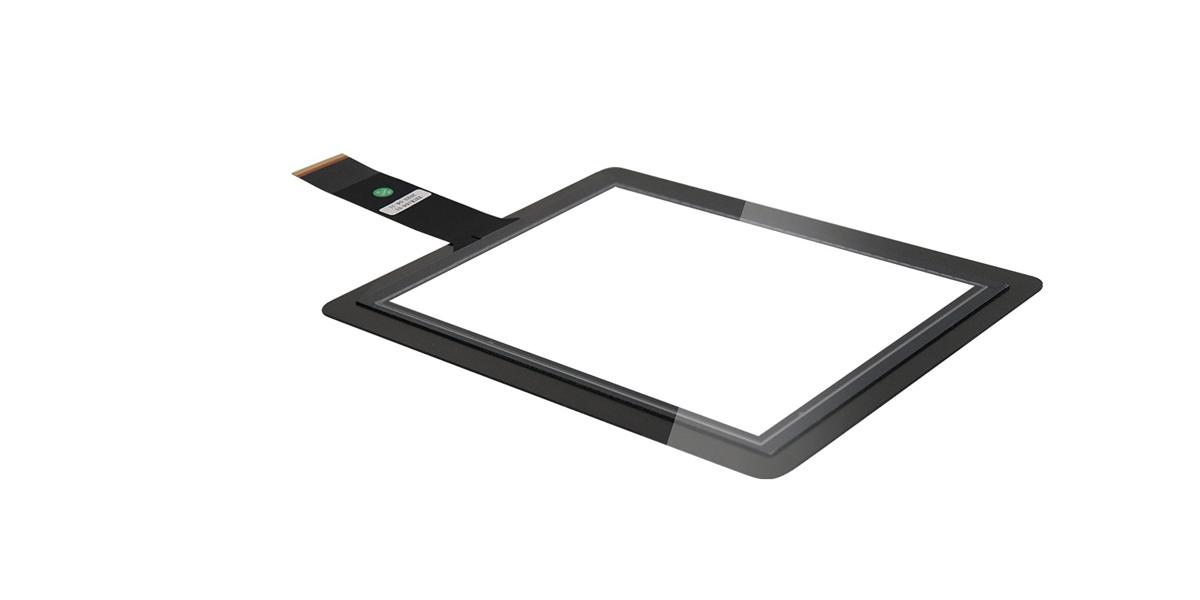
To understand how a capacitive touch screen works, one must first clarify its core structure. At the heart of a capacitive touch screen is a transparent conductive layer attached to a glass substrate. The most commonly used conductive material is Indium Tin Oxide (ITO), which possesses both excellent conductivity and transparency, ensuring it does not affect the screen's display. The conductive layer is divided into multiple uniform sensing units arranged in rows and columns to form an invisible sensing matrix. Each unit acts like a tiny capacitor; when there is no touch, these capacitors remain in a stable state of electrostatic equilibrium.
How Capacitive Touch Screens Work
As the most mainstream interactive component in current smart devices, capacitive touch screens are widely used in products such as mobile phones, tablets, laptops, and self-service terminals. Their core advantages lie in high sensitivity, rapid response, and support for multi-touch, all of which stem from their capacitive sensing-based operational logic. Unlike infrared touch screens that rely on light grid occlusion to identify touch, capacitive touch screens achieve precise positioning of the touch location by sensing changes in electrostatic induction between the human body and the screen. The entire process requires no physical pressure; interaction is completed with just a light touch of a finger.
1. The Structural Basis of Capacitive Touch Screens
2. The Basic Logic of Touch Sensing
The human body is naturally a conductor. When a finger touches the surface of a capacitive touch screen, a new capacitor—known as a coupling capacitor—is formed between the finger and the conductive layer on the screen. This coupling capacitor breaks the original electrostatic equilibrium of the sensing units, causing a change in the capacitance value of the units. A control chip inside the screen scans the entire sensing matrix in real-time, continuously detecting capacitance changes in each unit. Once an abnormal fluctuation in capacitance is captured, the system determines that a touch operation is occurring at that location.
3. The Complete Process from Touch to Command
The workflow of a capacitive touch screen is mainly divided into three key steps: scanning induction, signal processing, and coordinate calculation. The first step is scanning induction: the control chip sends weak electrical signals to the sensing matrix through row and column electrodes, detecting each sensing unit individually and recording the difference between its initial and real-time capacitance values. The second step is signal processing: the chip amplifies and filters the detected signals to eliminate external interference (such as fluctuations caused by ambient temperature or humidity), retaining only the valid touch signals. The third step is coordinate calculation: based on the location and magnitude of the capacitance change combined with the matrix distribution, the chip uses algorithms to precisely calculate the X and Y axis coordinates of the touch point. These coordinates are then passed to the device's operating system to complete the corresponding interaction command, such as clicking an icon or sliding the screen.
4. Two Mainstream Types of Capacitive Touch Screens
Based on the sensing method, capacitive touch screens are mainly divided into surface capacitive and projected capacitive types, with projected capacitive being the current mainstream. Surface capacitive touch screens have a conductive layer covering the entire screen surface and detect changes through electrodes at the four corners, supporting only single-point touch. In contrast, projected capacitive touch screens divide the conductive layer into much smaller sensing units, allowing for the simultaneous detection of capacitance changes at multiple points. This is the core reason why modern smartphones and tablets can support multi-touch gestures like zooming and rotating.
5. Key Factors Affecting the Touch Experience
It is worth noting that since capacitive touch screens rely on electrostatic induction, they have specific requirements for the touching medium—it must be a conductor or an object carrying static electricity. This is why fingers work easily, while insulated plastic pens or gloves cannot trigger a touch (some specialized capacitive styluses work by simulating human static electricity). Additionally, stains or water spots on the screen surface can affect the accuracy of capacitive sensing. Therefore, keeping the screen clean during daily use can effectively enhance the touch experience.
6. Core Logic of Capacitive Touch Screens
Overall, the working principle of a capacitive touch screen is essentially a process of "electrostatic induction + signal analysis." By sensing changes in capacitance generated by human touch through a conductive layer and processing those changes via a control chip to calculate coordinates, precise interaction between humans and smart devices is achieved. Its simple structure, sensitive response, and rich interaction methods make it an indispensable core component of modern smart technology.